
(00)Approvals & e-signature
An approval should move on as soon as the last person has decided, without anyone having to chase it.
- Draft
- Review
- Approve
- Sign
- Kept
In Obscura, each document follows the approval route your organisation sets for each position, with deadlines, delegation and escalation. Signing and e-Meterai happen on the same document, and the record shows who decided and under what authority.
(01)The long way round
Today, the document owner usually carries the route in their head and chases each person in turn.
They remember who comes next, send reminders over chat and call when a deadline slips. Once the approval is done, the signature happens in a separate app, so the evidence ends up split across email, the provider's records and downloaded copies.
When people change jobs, someone also has to update the list of who approves what, and that list is usually kept somewhere else.
- Chatapproved yet?
- Signing appsigned yet?
- Emailwhich version?
(02)Approval route
In Obscura, your approval policy becomes a route that runs on its own.
You set the order of review, signing, e-Meterai and numbering once, and each document then follows that route while its progress and decision history stay with it.
-
01
Procurement Officer
Drafter
Submitted
-
02
Procurement Head
Approver
Approved · note added
-
03
Finance Manager
Approver
Acting for Finance ManagerApproved by Dimas P.
-
04
Director
Approver
Approved · note added
-
05
Sign · e-Meterai
e-sign module
InternalPSrE-certified
- 01
Positions
Tasks go to a position, so whoever holds it today receives the work and you do not rebuild the route every time someone changes jobs. You can also name specific people when the person matters more than the role.
- 02
Decisions
Each approver can approve, reject or return the document for revision, and every decision is kept with its note.
- 03
Deadlines
Every task has a deadline, and overdue work follows the escalation path you defined and stays on the record. You can also see how long each stage takes, so you know where work needs attention.
- 04
Delegation
A substitute can act for a set period and only for the actions you allow, while the record still shows who actually made each decision.
- 05
Versions
When you change a route, the change applies to new work, and documents already in progress keep the route they started with.
- 06
Checked before use
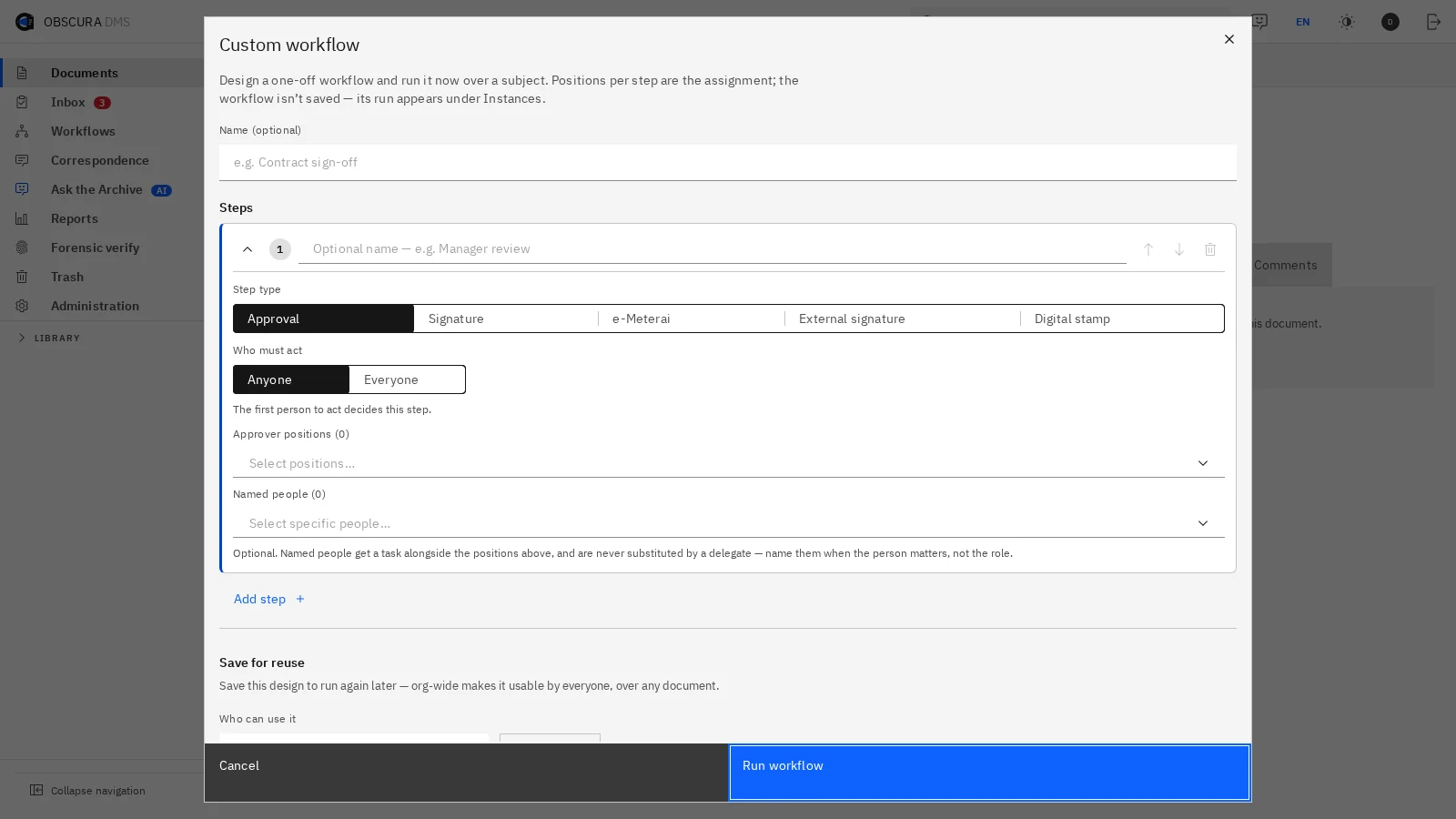
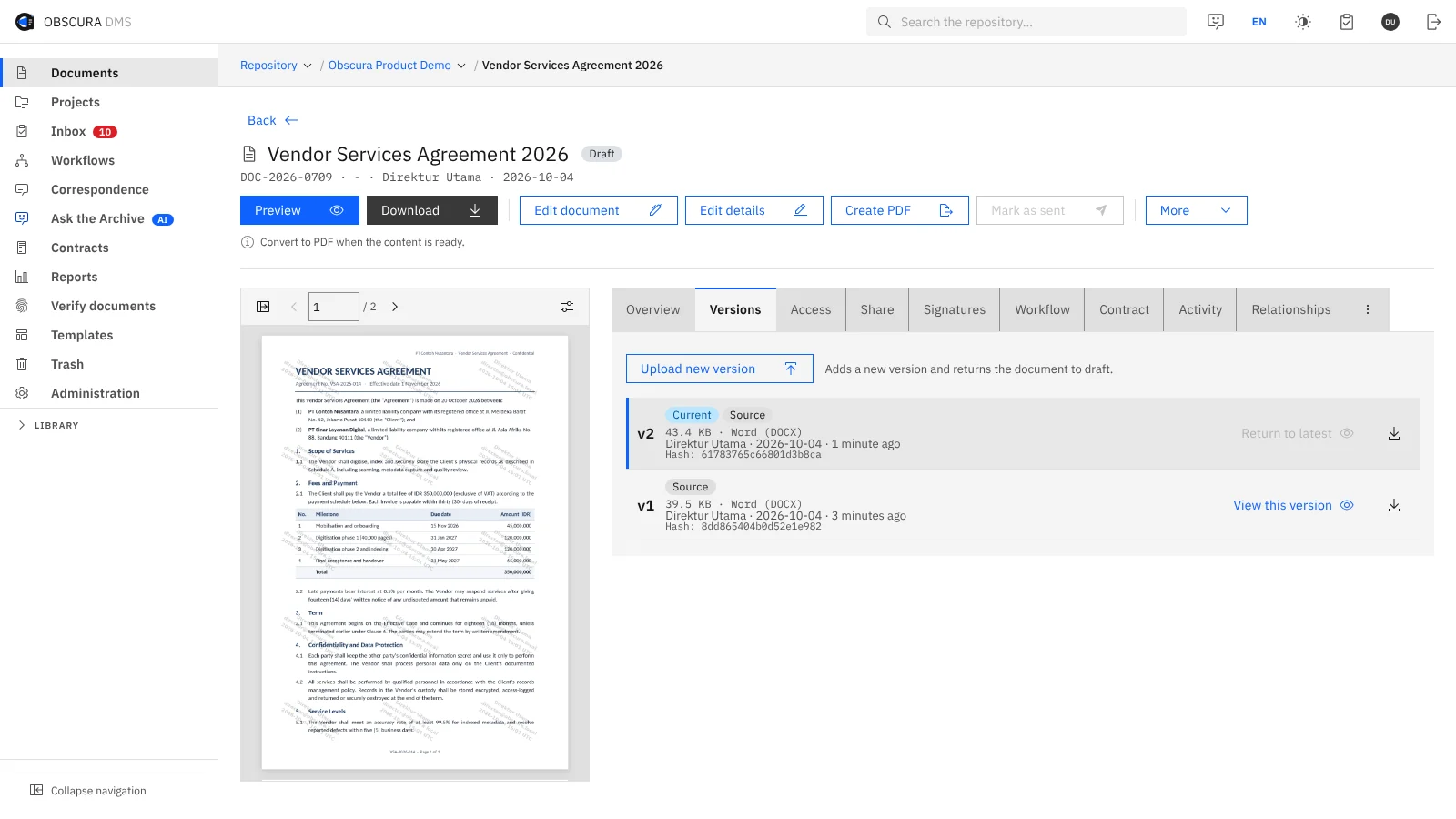
Obscura checks the order of signing, e-Meterai and numbering steps while the route is being built, and it rejects an order it does not support before anyone uses it.
You can run a saved route or build a one-off route for a single document. Stages run in sequence, and within a stage several people can act at once, with either the first decision or everyone's decision completing it. Conditional branching is not part of the current model.

 Sample data
(03)Signing & e-Meterai
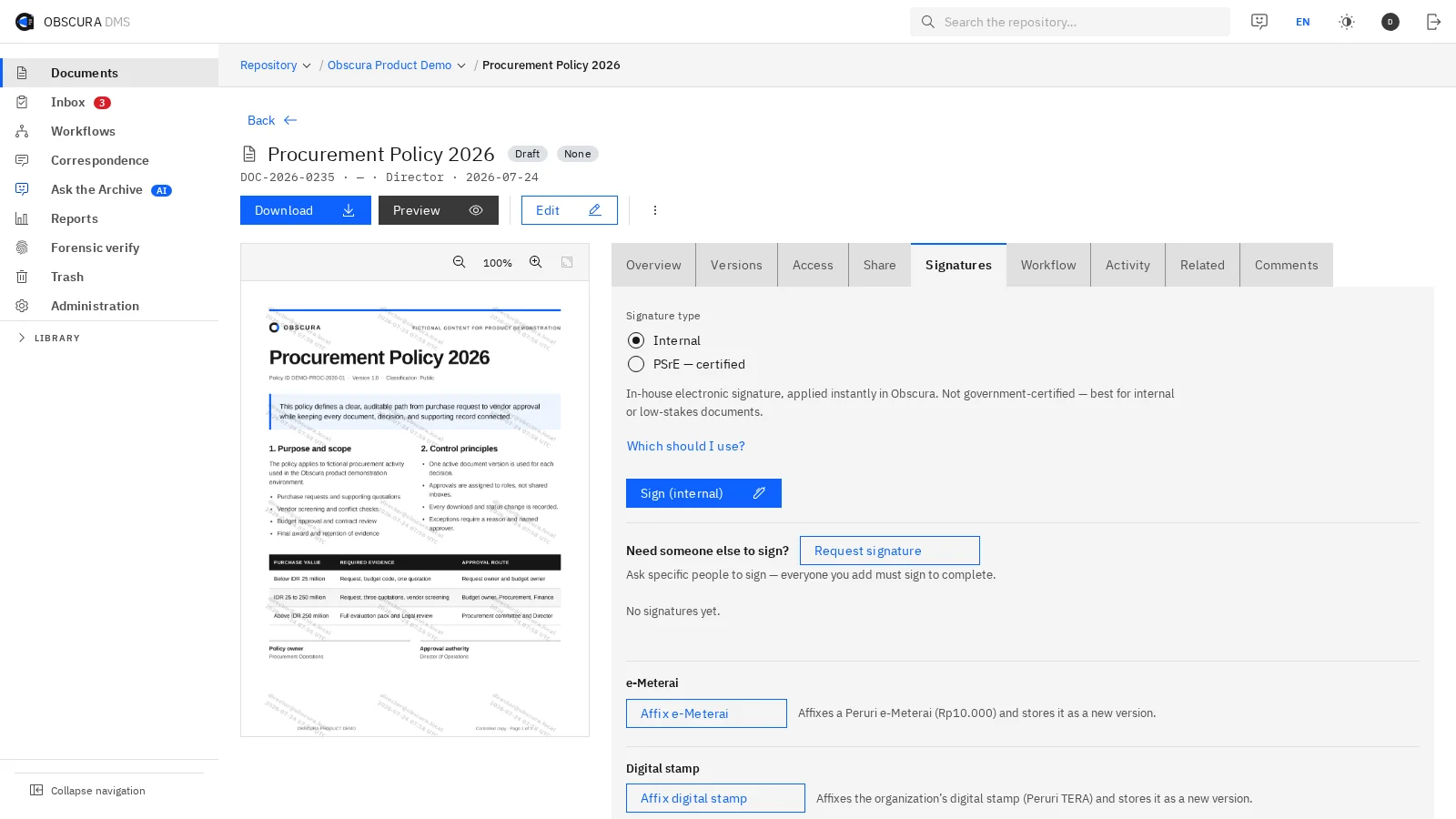
You choose the signing method each document requires, and the signature is applied to the approved document itself.
Tier 1 · Internal
In-house signature
Obscura signs with its own certificate authority and timestamp service, and verification can detect any change made to the file after signing. This method is not PSrE-certified, so use it for internal memos and approvals where your policy accepts it.
Tier 2 · Certified
Certified e-signature and e-Meterai
A configured PSrE provider applies the certified e-signature, and e-Meterai is applied within the same route through a configured provider. Provider availability differs, so we confirm the provider, the data it exchanges and its network requirements for your deployment.
Signers outside your organisation
With the e-sign module, external parties can sign as a step in the route without needing an Obscura account.
Checking a signature
Reviewers can inspect file integrity, issuer trust and the timestamp separately, so they have the evidence they need to assess a signed document.
e-Meterai balance
Your e-Meterai balance is visible, a warning appears before the quota runs out, and failed serials are listed so that you can reconcile them.
 Sample data
(04)Evidence
Afterwards, the document carries its own record of who decided, who signed and when.
The history records every step, escalation and signature on the same document, so nobody has to rebuild it from email later. A cryptographic hash chain helps detect changes to the audit log, which means the record can be checked again years later.

 Sample data
(05)Modules & providers
Before you roll this out, it helps to know which parts come with the foundation and which need a module or a provider.
- Foundation
Approval routes, deadlines, escalation and delegation are part of the Obscura foundation.
- e-sign module
Signing, e-Meterai and digital seals are part of the licensed e-sign module.
- Provider
Certified signing and e-Meterai need a configured provider, and Obscura stops the action and says so if that connection is not ready.
- Assessment
We confirm provider compatibility, data exchange and document requirements with you during the assessment.
(06)Next step
Pick the approval route that stalls most often, and we will run it in Obscura with you.
Together we will look at where it waits today, who is responsible at each step and what evidence you need at the end. Then we agree on how to measure a pilot before it reaches other teams.