
(00)Product / Document Control
Your team can tell the official copy from the drafts, and you can see who changed what.
- 01OrganiseFiles and metadata
- 02PublishNumber and version
- 03Control and traceControlled access
Obscura separates working drafts from the official copy, controls who can view and change each record, and keeps the full change history with it. Your teams get a reliable basis for daily work, and management gets the evidence it needs for a review.
Capabilities depend on the modules and integrations you choose.
(01)Where the doubt starts
Most version problems start when the same document lives in several places at once.
A draft travels by email, someone edits a downloaded copy, and the signed PDF ends up in a shared folder. When a reviewer or an auditor asks which copy counts and who changed it, the answer has to be pieced together from memory and old inboxes.
(02)How Obscura controls a record
From the first revision to the archive, the status of each document stays clear.
Each control below sits at one stage of the record's life, so the line passes them in the order your team meets them.
01Organise
Tidy up many documents at once, and check the result.
You can rename, move, copy or update the properties of many documents in one operation, and then review the outcome of each change, which cuts down the routine administration.
Compare versions before anyone approves a revision.
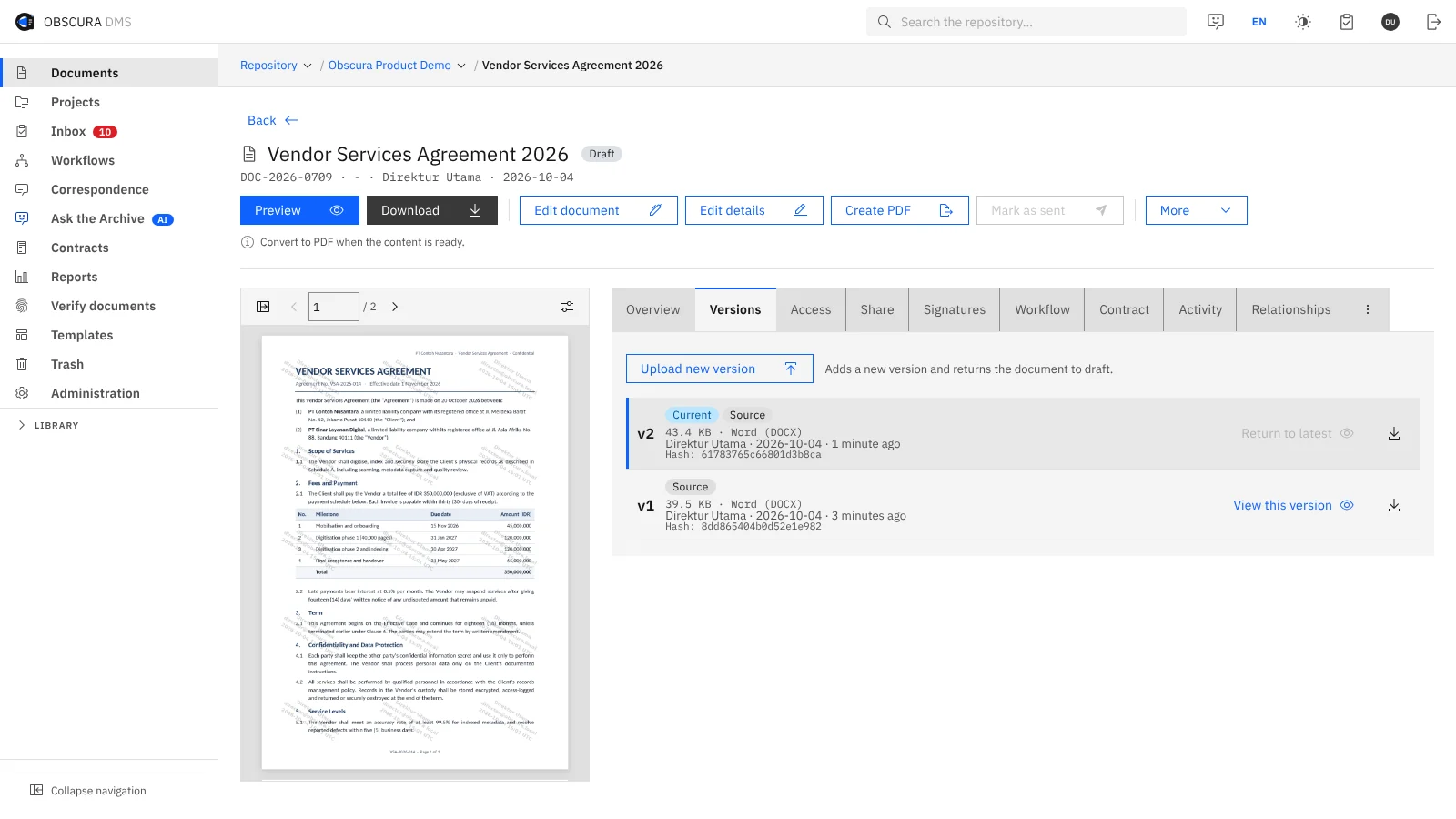
Reviewers can compare two versions of a document together with their saved metadata, so they understand what changed before they decide.
02Publish
Mark which copy is the official one.
You designate an official PDF for the document, and with the Correspondence module you can also register an existing document so that it receives an official number. Registering the number records it in the register, but it does not print the number onto the file.
03Control and trace
Give access according to responsibility.
You decide who can view each record and who can change it, and the optional Secure Folder module adds protection around selected documents.
Keep records for as long as your policy requires.
Retention rules and legal holds support your records policy, and we confirm the scope you need before the pilot starts.
Keep the history ready for review.
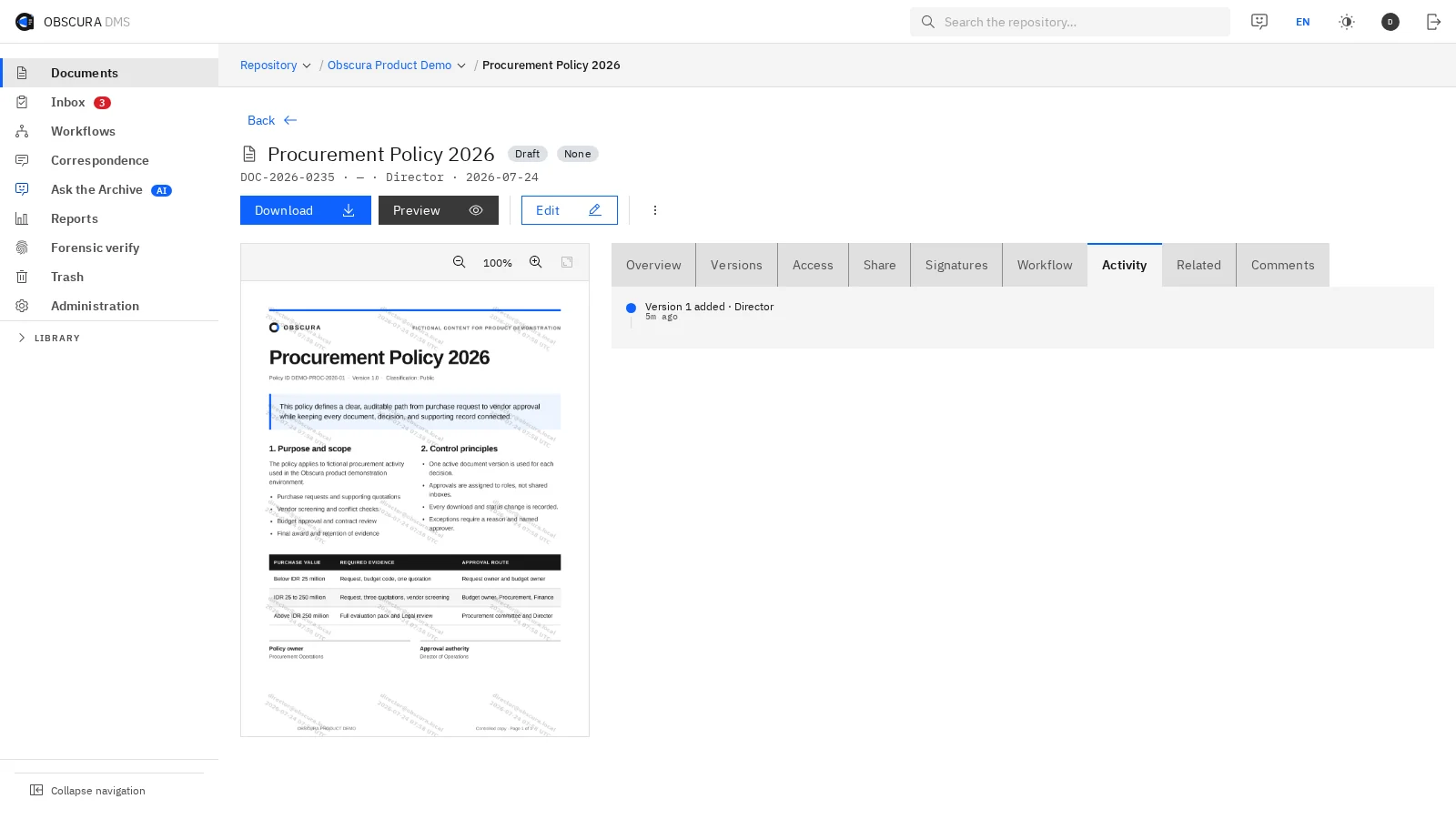
The audit log records the changes, decisions and activity on each document, so nobody has to gather evidence from several applications when a review comes.
(03)One record
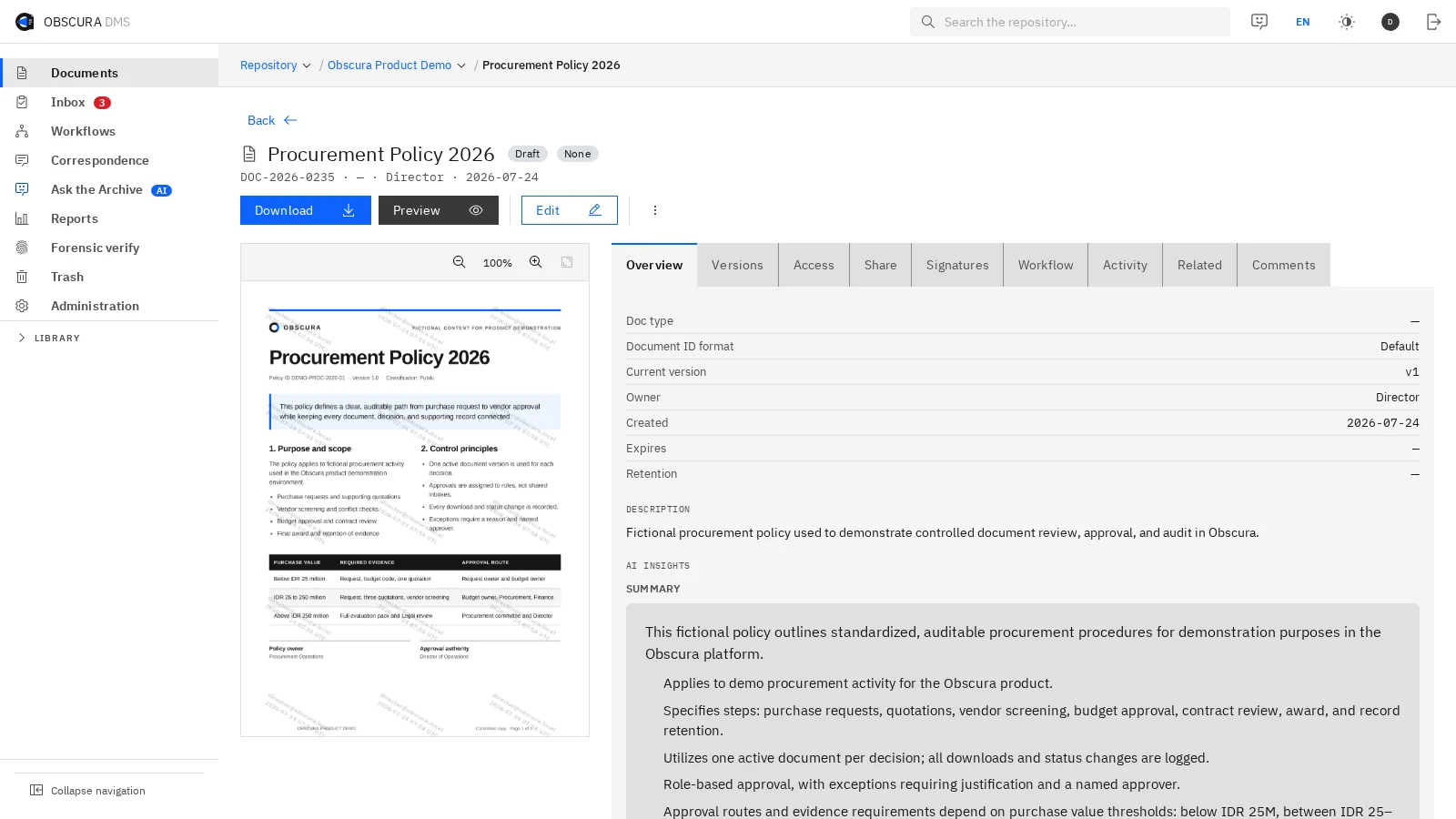
Each document has one record that brings its content, versions, access and activity together.
The screens below come from the product and use sample data.
 Sample data
 Sample data
 Sample data
(04)Test it on one folder
Test the controls on one folder that your team depends on.
We take one working folder from revision to official publication in Obscura together. Then we review access, version clarity and audit evidence with you, and we use them to agree what success looks like for the pilot.