
(00)Obscura vs SharePoint
Replace SharePoint for your document work, and keep the whole process in one place.
When SharePoint is where files are stored, the drafting, approving and signing around them still happen in other tools. Obscura becomes the place where your team does that work, from the first draft until the document is kept and found again.
(01)Two paths
In SharePoint the path forks at approval and at signing, while in Obscura it continues in one application.
A SharePoint library can store a contract and run a basic approval on it. When the approval needs more steps, or the contract needs a certified Indonesian signature, the document has to leave for another tool and come back again.
SharePoint includes basic approvals, but anything more involved needs Power Automate, and on-premises SharePoint Server is limited to older workflows. Microsoft's own e-signature for SharePoint is not available in Indonesia and does not offer certified Indonesian signatures (TTE) or e-Meterai.
Obscura connects certified signing and e-Meterai through external Indonesian providers, using its e-sign module.
Sources, checked October 2026
(02)Why replace it
When the work stays in one application, your team spends less time moving files and checking which version is current.
- 01
Fewer handoffs
Your team creates, edits, approves and signs in Obscura, so there are fewer file transfers and version checks between separate applications.
- 02
Clear approval authority
Decisions are assigned to roles with deadlines and recorded delegation, so everyone can see who needs to act and what has already happened.
- 03
Evidence with the record
Versions, decisions, signatures and activity sit in one history, which management and auditors can inspect without collecting it from several places.
Obscura becomes the system of record for your business documents, while Teams, Outlook and your intranet can stay in place for communication and other work.
(03)What Obscura replaces
Obscura takes over your document libraries and the processes that run around them.
Your team gets one place to create, review, approve, sign and keep business records.
| Document requirement | In Obscura |
|---|---|
| 01Document libraries | Organise records with folders, metadata, classifications and search, and control access at folder and document level. |
| 02Authoring and review | Create from approved templates, edit Office files in the browser, and keep comments and version history with the document. |
| 03Approval processes | Route work through defined roles, deadlines, delegation and escalation, and keep every decision connected to its history. |
| 04Signing and e-Meterai | Complete internal or external signing inside the document workflow. Certified signing and e-Meterai use the e-sign module and a configured external provider. |
| 05Records and audit | Tell drafts apart from official copies, apply retention and legal hold, and inspect changes and decisions in the audit log. |
| 06Search and answers | Find records by content and metadata, and add AI for summaries and answers with source references, within each person's document permissions. |
Capabilities depend on the modules and configuration you choose.
(04)One agreement
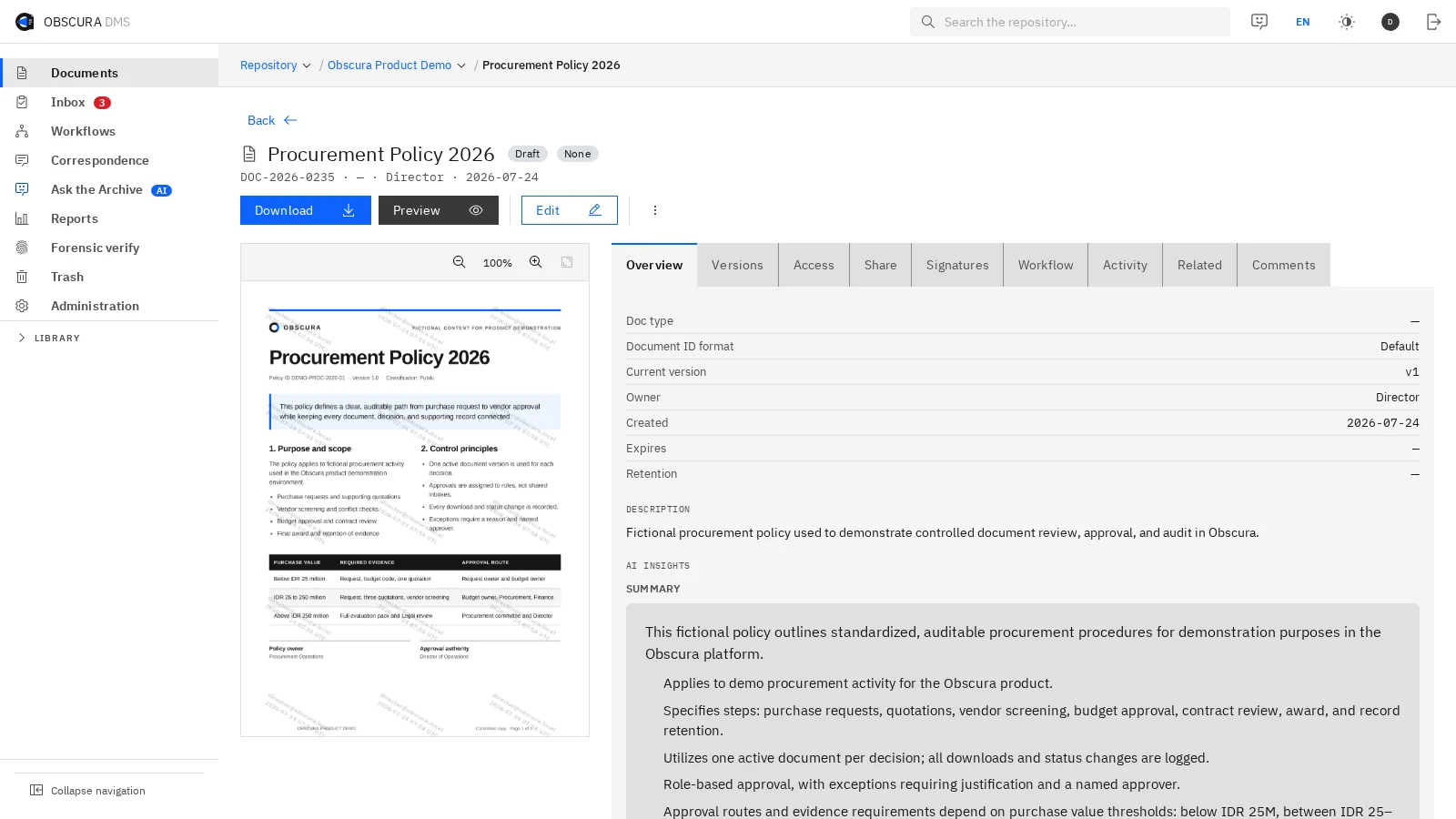
Here is how one agreement moves from draft to archive inside Obscura.
- 01
Create and review
Your team starts from an approved template, edits the draft, discusses changes and keeps every revision in the same record.
- 02
Approve and sign
The agreement goes to the responsible approvers, and then signing and any required e-Meterai are completed through the configured provider.
- 03
Keep and find
The final record is kept with its permissions, retention rules and activity history, so your team can find it again when the business needs it.

 Sample data
(05)Built for document work
Your team gets a dedicated workspace for documents, and you keep control over where those documents live.
A document workspace
People find content, check its history and act on it from one consistent interface, with the document at the centre of review and approval.
Control where records live
You can run Obscura on your own servers, in a private cloud or on a closed network. Each Obscura Enterprise installation serves one organisation, and external services connect through routes you approve.
Answers from your records
Use full-text search, or add AI for summaries and answers that link to their sources. Every person still works within their own document permissions.
During implementation planning, we can assess your existing files and their permissions, but the replacement starts with how your team will work in Obscura.
(06)
Pick one SharePoint process, and we will show you how your team would run it in Obscura.
It could be a contract, a policy or a recurring approval. We will walk through it from draft to archive so that you can compare the two paths yourself.