
(00)Home / Security & architecture
Your documents move faster in Obscura, and the controls around them tighten at every step.
You decide where Obscura runs, who can open each record and which outside services may connect, so your IT and security teams have a clear basis for their assessment.
- On-premise
- One organisation per installation
- Closed network
- Controlled connectors
(01)Deployment
You choose how connected Obscura is, and the core system can run without any outbound connection.
Local services run inside your network, and you add approved connections only where a chosen module or process needs them.
01 / Closed
Closed network
Core DMS, workflows, the repository, audit history and locally hosted services can run without outbound connectivity.
02 / Controlled
Controlled connectors
You open limited routes for PSrE, e‑Meterai, identity providers or other systems, through endpoints and rules that you have approved.
03 / Optional
Optional external services
You use an AI provider or cloud service only when your policy and the business need allow it.
User access
- WebInternal browser
- Obscura MobileCompanion application
- External partiesShare or signing link
Your organisation's environment
01Identity & ingress
- TLS / reverse proxyManaged entry point
- Local / OIDCLogin and SSO
- LDAP / AD / SCIMUsers and groups
- TOTP / sessionVerification and sessions
02Obscura
- Web + APIWorkspace and integration
- Repository + workflowDocuments and process
- Office + signingEditing and signing
- Search + AIFind and understand
03Local data & services
- PostgreSQLMetadata
- S3 / MinIOFiles and versions
- OCR / embedding / modelCan run locally
- BackupCatalogue and recovery
Selected connections
- PSrE / e‑MeteraiCertified signing via external providers
- Identity providerOrganisational SSO
- Internal systemsAPI / OpenAPI
- Selected AI providerOptional
No outbound connection is mandatory for every deployment.
One organisation per installation
Obscura Enterprise is single-tenant, so each installation serves one organisation. Obscura Cloud is multi-tenant, and each tenant is kept separate with its own database schema, subdomain, keys and file storage.
Approve external connections
Your team reviews each connector's purpose, exchanged data and access requirements before switching it on.
Plan for operations
You set capacity, availability and recovery targets according to how critical the process is and the standards that you already run.
(02)Layered controls
Control follows each document through every step, from the first login until the record is disposed of.
Obscura governs access, changes, sharing and retention in one place, and the activity evidence stays available for review and investigation.
- 01
Identity & sessions
- Local accounts or OIDC SSO
- LDAP / Active Directory / SCIM
- TOTP, session management and recovery
- 02
Document access
- Tiered ACLs with inheritance
- Allow and deny rules
- Application roles kept apart from content permissions
- 03
Read without releasing the file
- Secure image-based PDF viewing
- Download blocking by classification
- Identity watermark on document views
- 04
Versions & activity
- Version and change history
- Audit history of document activity
- Version compare and rollback
- 05
Revocable sharing
- Password, email OTP or allow-list
- Expiry and revocation
- Access log for shared links
- 06
Records & recovery
- Retention schedules and legal hold
- Review before destroy, transfer or extension
- Scheduled backups, catalogue and recovery
Module · Secure Folder
For your most sensitive records, the optional Secure Folder module adds further protection around selected folders.
(03)Distributed copies
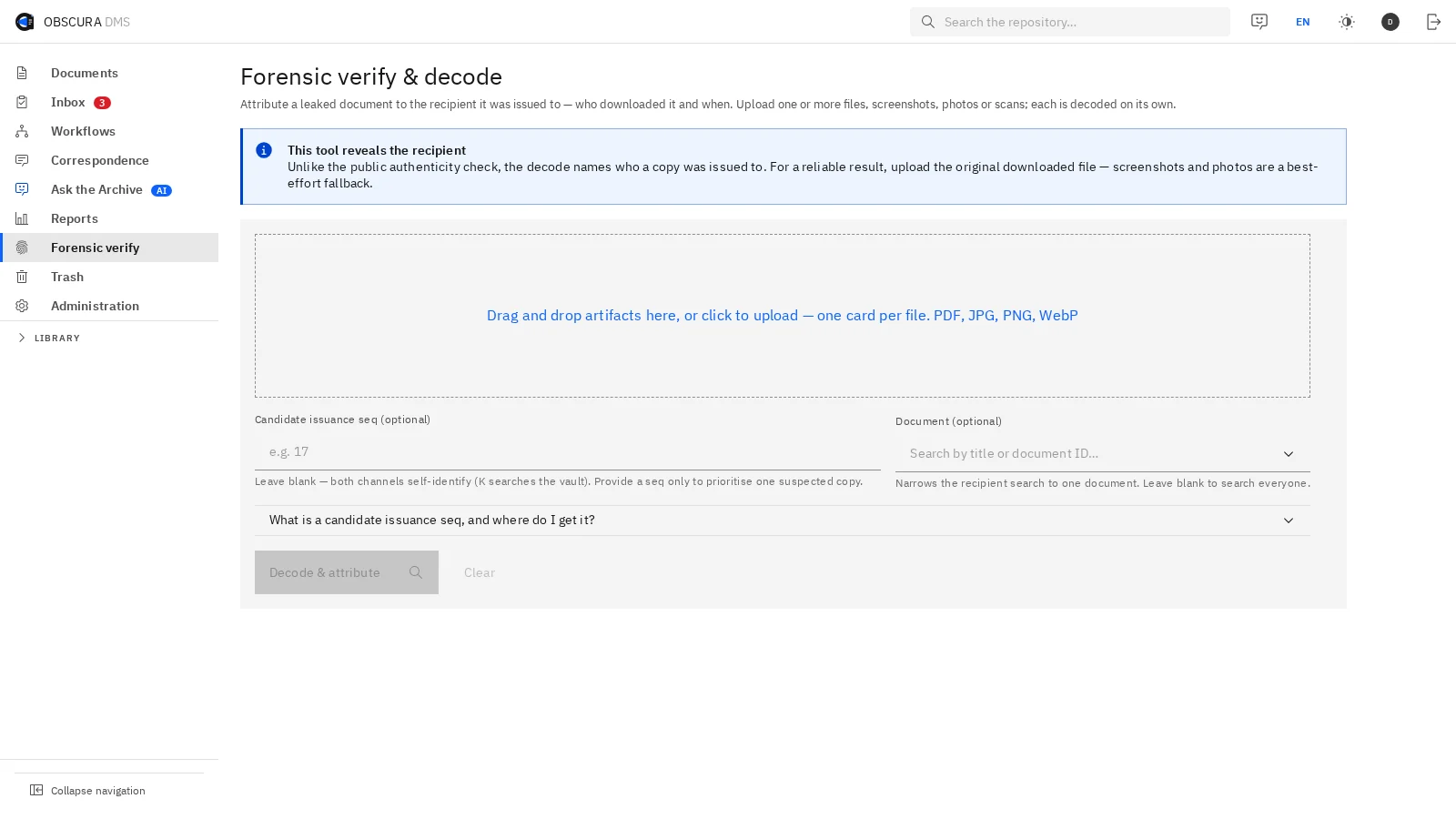
If a copy turns up where it should not be, you can check which recipient it was issued to.
Issuance ledger
| Issuance | File | Version | Recipient |
|---|---|---|---|
| 15 | VA-014 | v2 | Procurement lead |
| 16 | VA-014 | v2 | Finance reviewer |
| 17 | VA-014 | v2 | External counsel |
| 18 | VA-014 | v2 | Vendor contact |
Module
Each outbound copy carries the identity of its recipient, and an issuance ledger links the file, its version and that recipient.
When a copy is recovered, your team examines it in a dedicated console and looks for that recipient evidence.
Inside Obscura, document views also show the viewer's identity as a watermark, which is part of the foundation.
- Recipient identity embedded in outbound copies
- Console for examining a recovered copy
- Issuance ledger linking file, version and recipient
- Compatibility tested on your own documents
Compatibility is tested on your own document corpus before you rely on it.

 Sample data
(04)Accountability in daily work
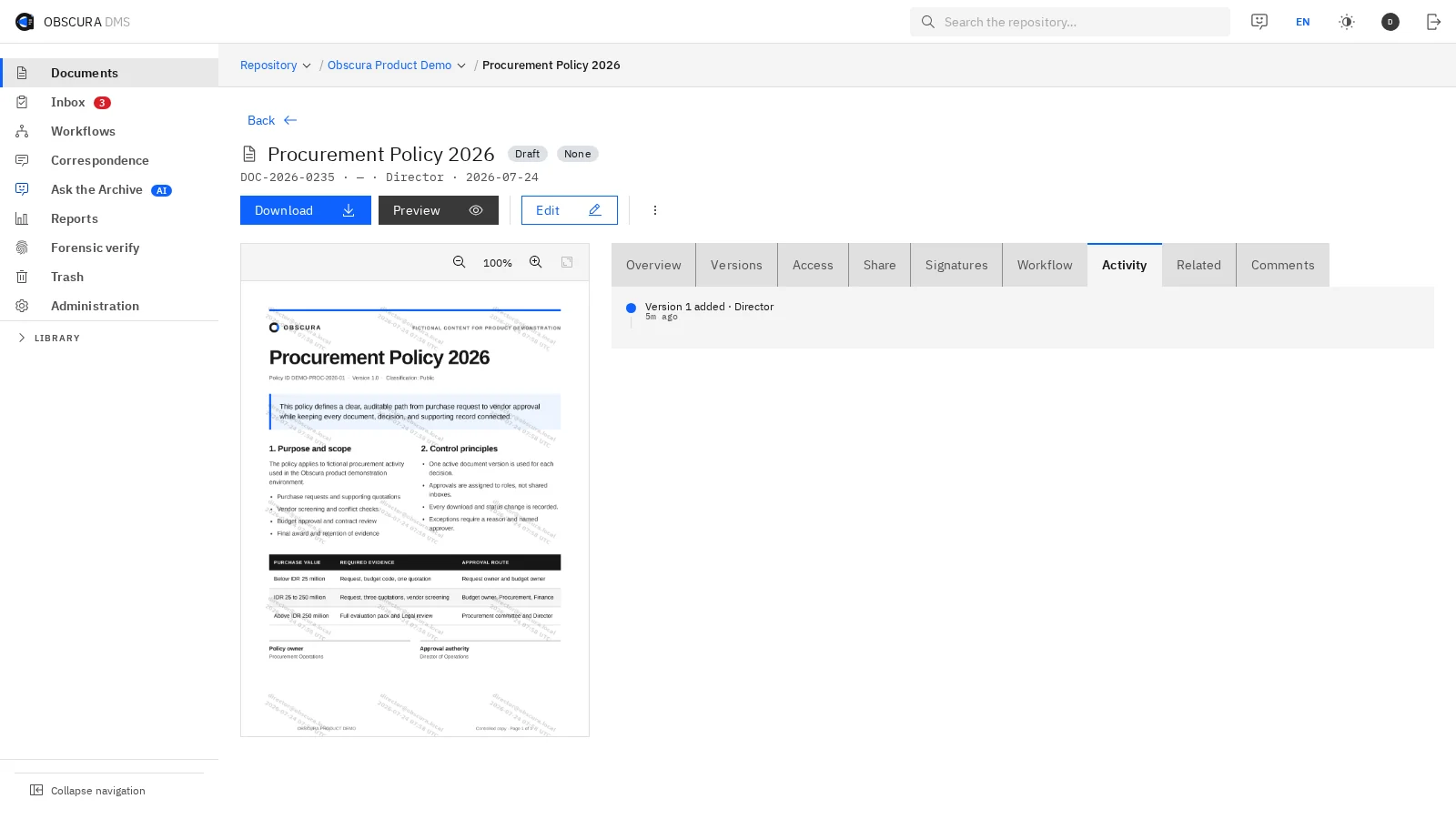
Every action leaves a record, so you can review a decision together with the document behind it.
Versions, timestamps, workflow status and recorded actions are connected on each document, which gives audit and management teams evidence they can inspect without rebuilding the history from separate applications.
- Filter activity by event and time
- Connect changes to document versions
- Inspect workflow status and user actions

 Sample data
(05)AI & data boundary
You decide whether AI is used at all, and where it runs if it is.
Core document management and full-text search work without an AI model, so you can switch AI on later or leave it off.
- Mode 01
AI off
Use full-text search, metadata, filters and workflows without enabling an AI model.
- Mode 02
Local model
Embeddings and models run in your environment for semantic search, summaries or questions to the archive.
- Mode 03
Approved provider
When your policy allows it, selected functions go to an approved provider through a managed connector.
When AI looks for sources, it only uses documents that the person asking is allowed to open.
Check each answer against its cited sources before you use it in a business decision.
Explore AI capabilities(06)Operations
Plan how the system keeps running, as well as how it is protected.
Your team decides how services are monitored, how capacity is managed and how records are recovered, in line with how critical the supported processes are.
- 01
Health & readiness
Health and readiness endpoints check core services and their dependencies.
- 02
Metrics & tracing
Metrics support monitoring, and tracing can be switched on when your operations need it.
- 03
Rate limits & quotas
Request limits and quotas keep the use of the API and system resources under control.
- 04
Backup & restore
Backup schedules, catalogues and recovery procedures follow your operational targets.
RPO and RTO targets, the high-availability topology, observability tooling and runbooks are agreed during the architecture assessment.
(07)Standards
These are the ISO standards that security and records teams usually ask about, and how Obscura relates to each one.
ISO/IEC 27001
The information security management system of PT Virtue Digital Indonesia is certified.
ISO 16175
Built following ISO 16175
ISO 15489
Aligned with ISO 15489
(08)Questions for the security review
Settle these questions with your technical team before the pilot starts.
Confirm the chosen modules, your information classifications and your operating standards together.
Does Obscura need internet access?
The core DMS can run without internet access when its supporting services are local. Certified signing, e‑Meterai and other external services need approved connections, because they run through external providers.
Where are files and metadata stored?
Your deployment decides the storage location and the backup policy. Metadata is kept in PostgreSQL, while files and versions are kept in S3-compatible storage such as MinIO.
Can Obscura use our existing SSO and directory?
Yes. Obscura supports OIDC, LDAP or Active Directory and SCIM alongside local accounts, and the configuration is confirmed against your identity and user-management requirements.
How are external connectors controlled?
Your team reviews each connector's purpose, exchanged data, credentials and permitted endpoints. Your team switches on external routes only after your system owners and security team approve them.
Does document data have to go to an AI provider?
No. You can turn AI off or host models locally, and if you choose an external provider, you agree on the permitted functions and data routes first.
Does Obscura prescribe RPO, RTO and high availability?
Those targets depend on your requirements. Backup frequency, replication and the deployment design are agreed during the architecture assessment.
Plan a controlled deployment
Make your security requirements part of the rollout decision.
Review data location, access, integrations and recovery with our team, and use the findings to define a deployment and a pilot that your stakeholders can assess.
Capabilities depend on the modules you choose.