
(01)How to pay
Pay an Obscura invoice by virtual account, QRIS or card, and get the receipt straight away.
Self-serve plans are paid online from an invoice issued by PT Virtue Digital Indonesia. Prices are in rupiah, and every invoice adds 11% PPN, as on the pricing page.
Online payment opens together with self-serve sign-up. The screens on this page show the flow in our test environment.
(02)Five steps
Each step shows the screen your team sees, from sign-up to the receipt.
-
01Sign up
Choose a plan and create your workspace.
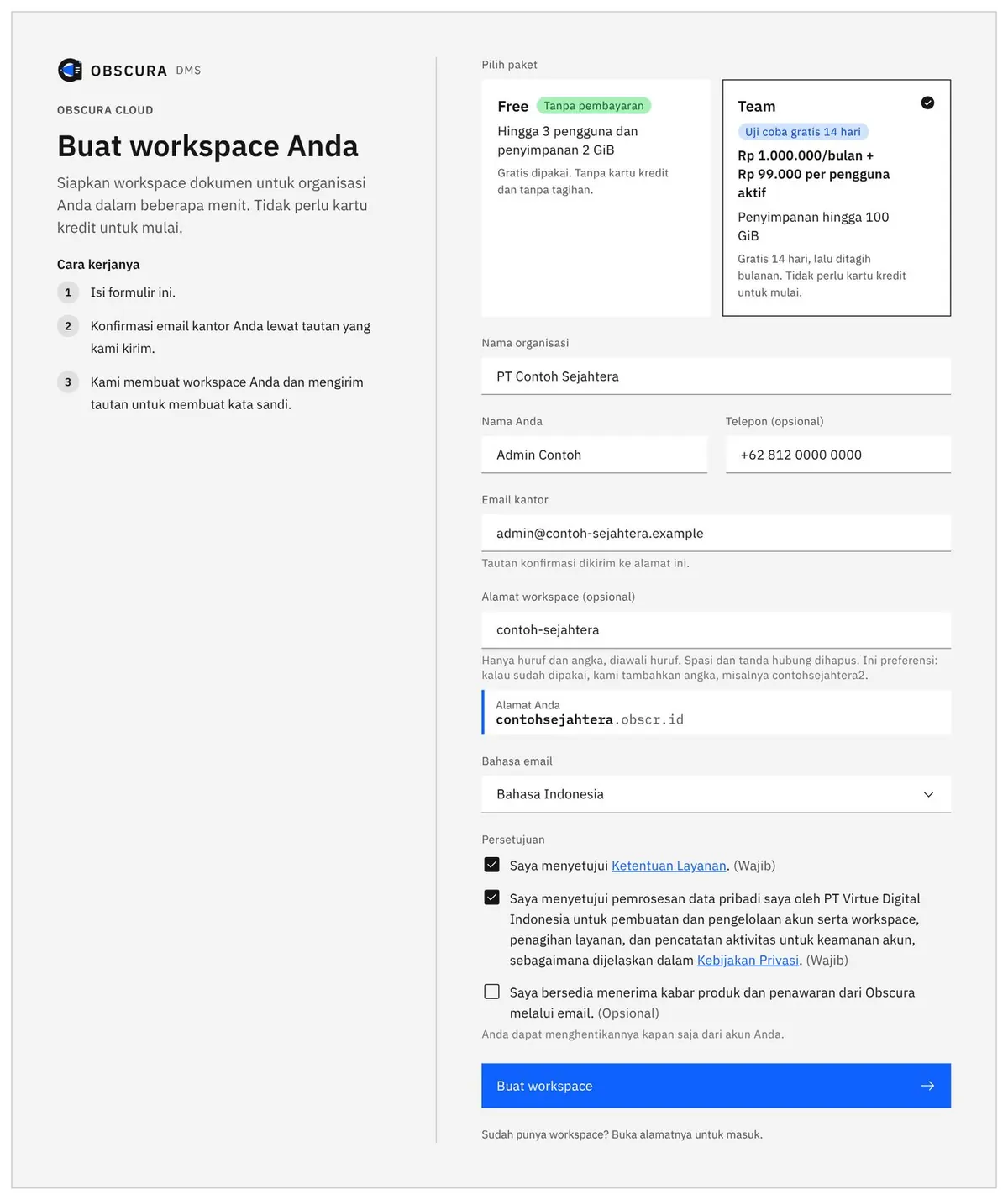
Pick Free or Team, then fill in your organisation, your name and your work email. We send a confirmation link to that email and then set up the workspace. Free has no billing, and the Team trial needs no card.
 Test environment
Fig. 1The sign-up form, with Team selected. -
02Invoice
Open the invoice in Billing or from the email.
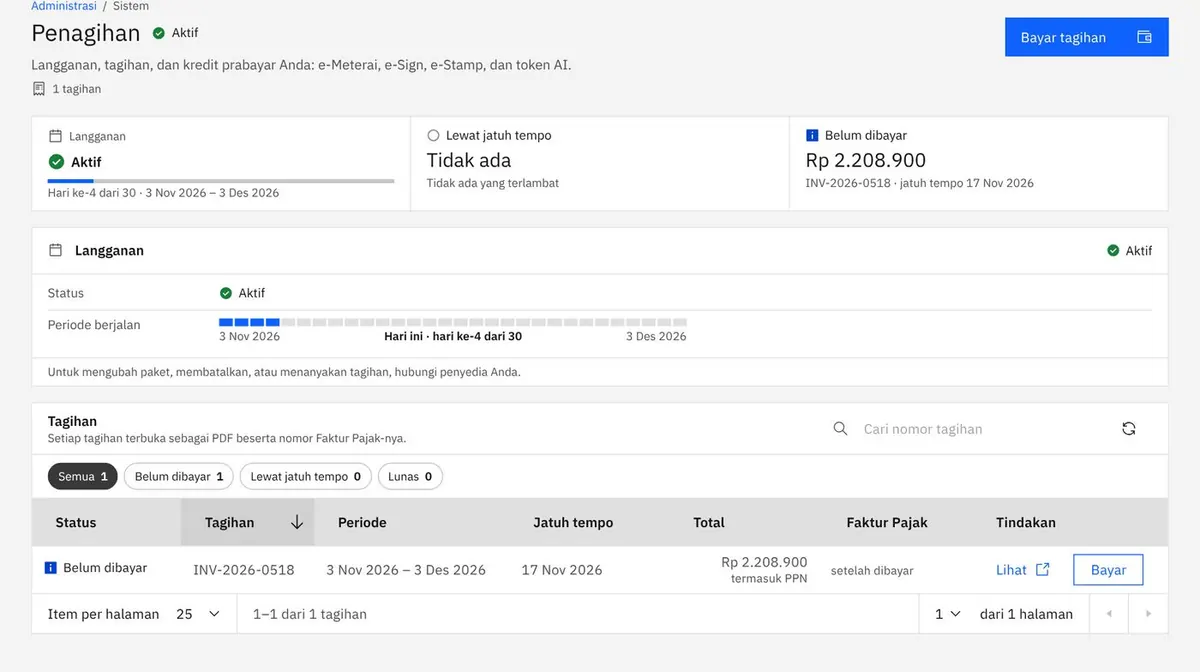
When a payment is due, the invoice appears in Administration > Billing with a Pay button in its row. We also email it to you, and the Pay button in that email opens the pay page without signing in.
 Test environment
Fig. 2Administration > Billing, with the unpaid invoice and its Pay button. 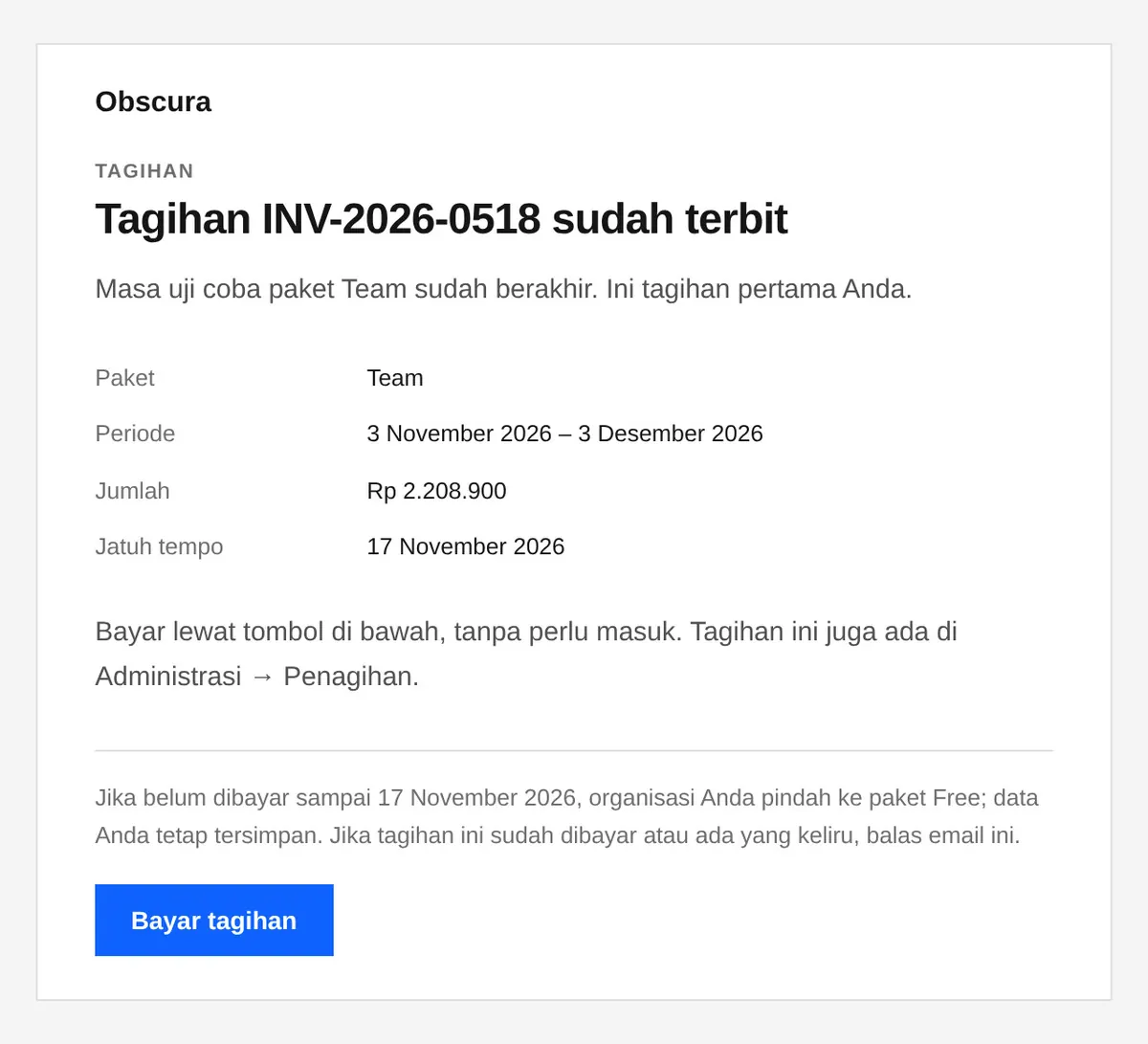
Fig. 3The invoice email, with its pay link. -
03Pay page
Check the invoice and choose how to pay.
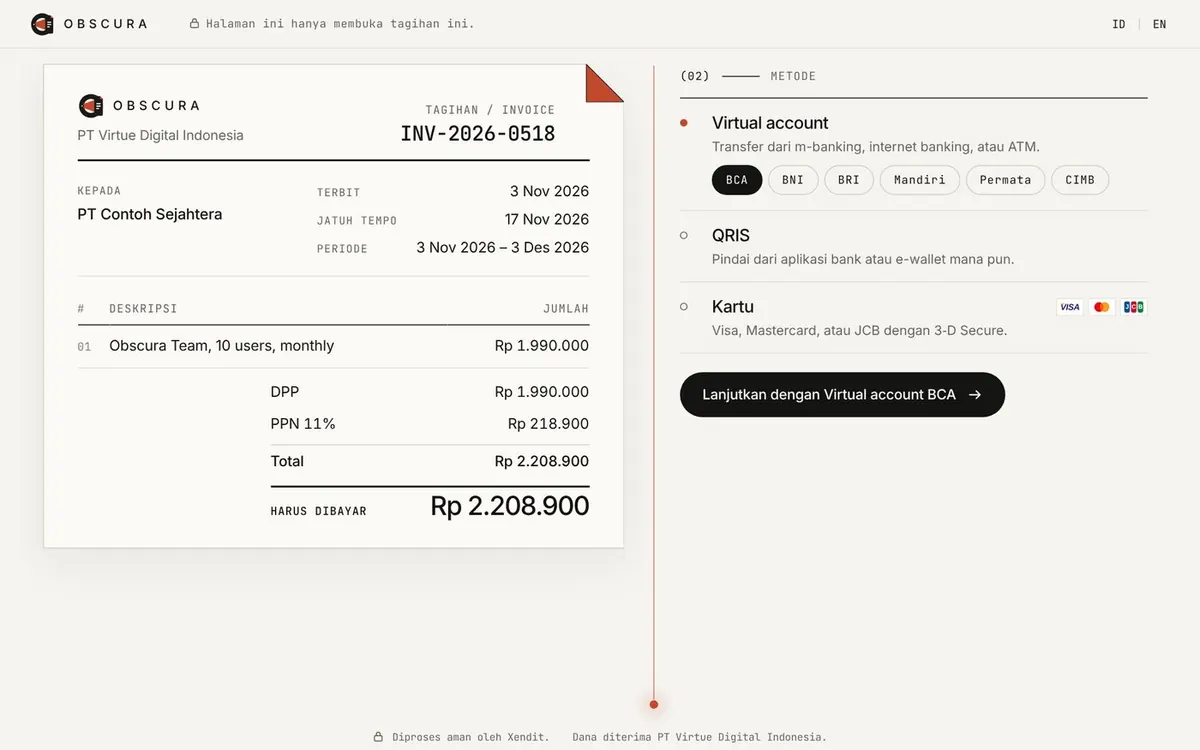
The pay page shows the invoice from PT Virtue Digital Indonesia with the price, 11% PPN and the total. Choose a virtual account and its bank, QRIS or a card, then continue.
 Test environment
Fig. 4Team with 10 users: Rp 1,990,000 plus Rp 218,900 PPN, Rp 2,208,900 in total. -
04Pay
Pay by virtual account, QRIS or card.
- Virtual account
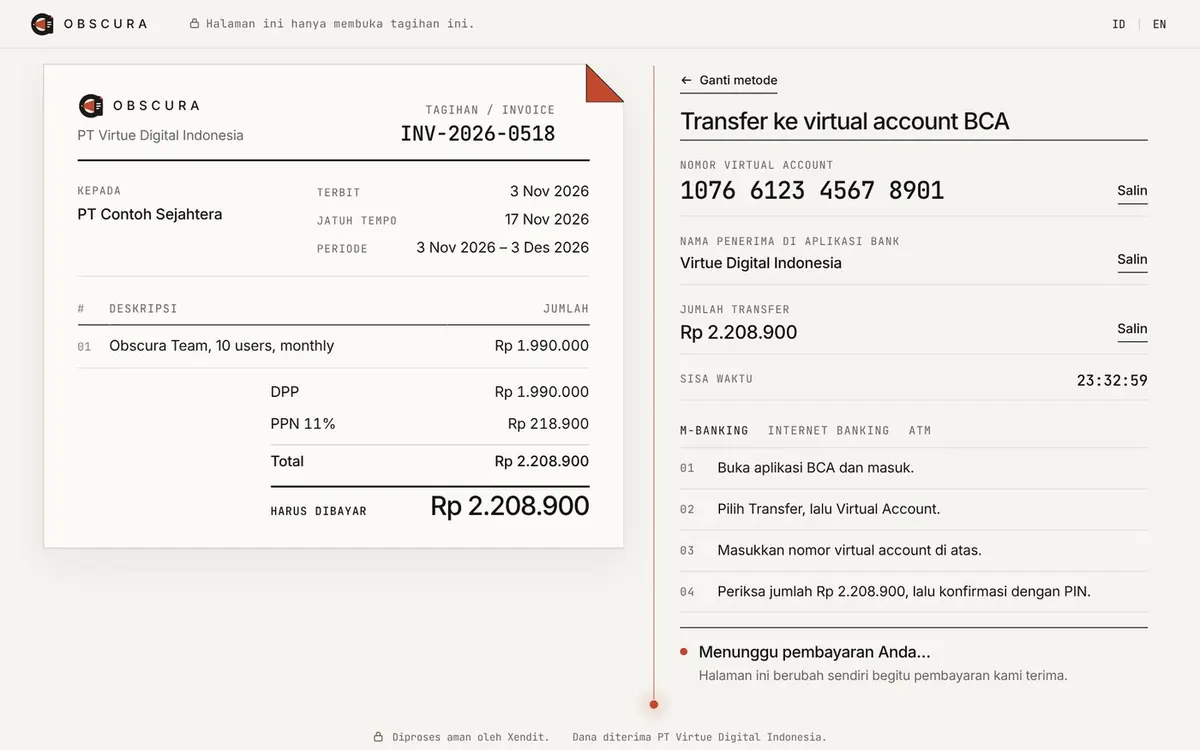
- Transfer from m-banking, internet banking or an ATM. The page shows the account number, the recipient name, the amount, the time left and the steps for your bank.
- QRIS
- Scan the code with any bank or e-wallet app.
- Card
- Enter a Visa, Mastercard or JCB card on our licensed payment partner’s secure page, then confirm with 3-D Secure. We never see the full card number.
The pay page updates by itself once the payment arrives.
 Test environment
Fig. 5Virtual account, here with BCA. The number is a test number. 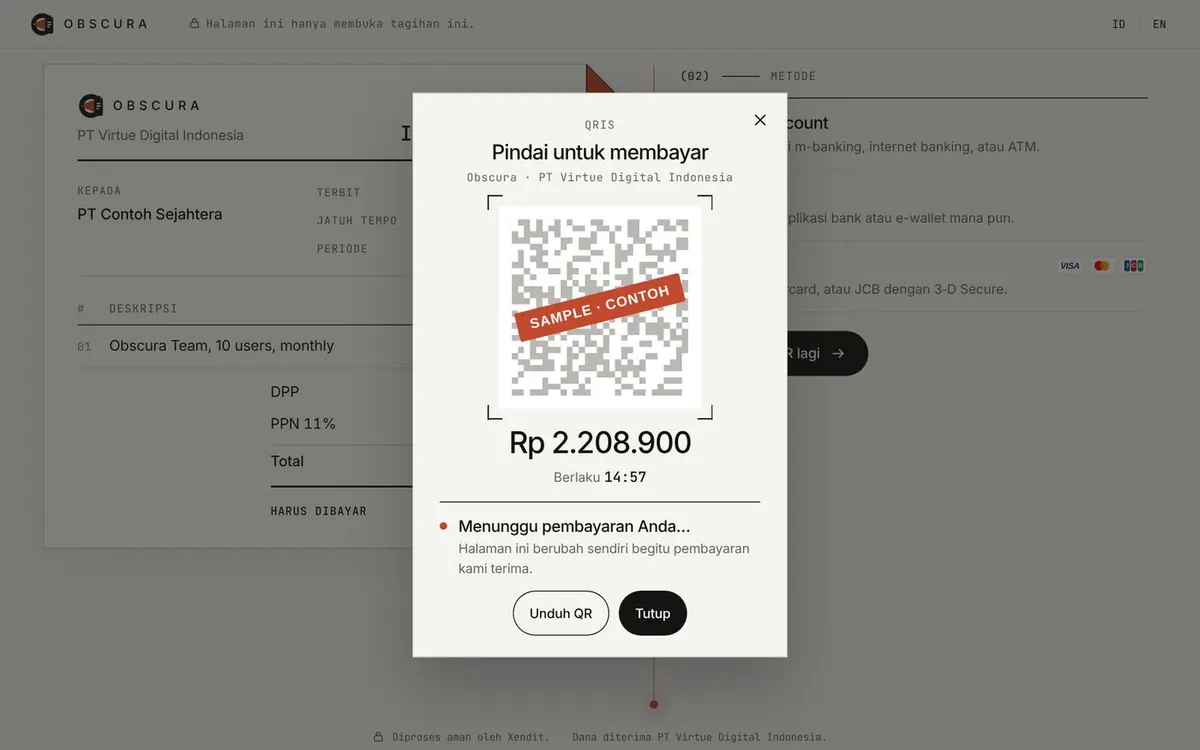
Fig. 6QRIS. This QR code is a sample that cannot be paid, so it carries a SAMPLE stamp. 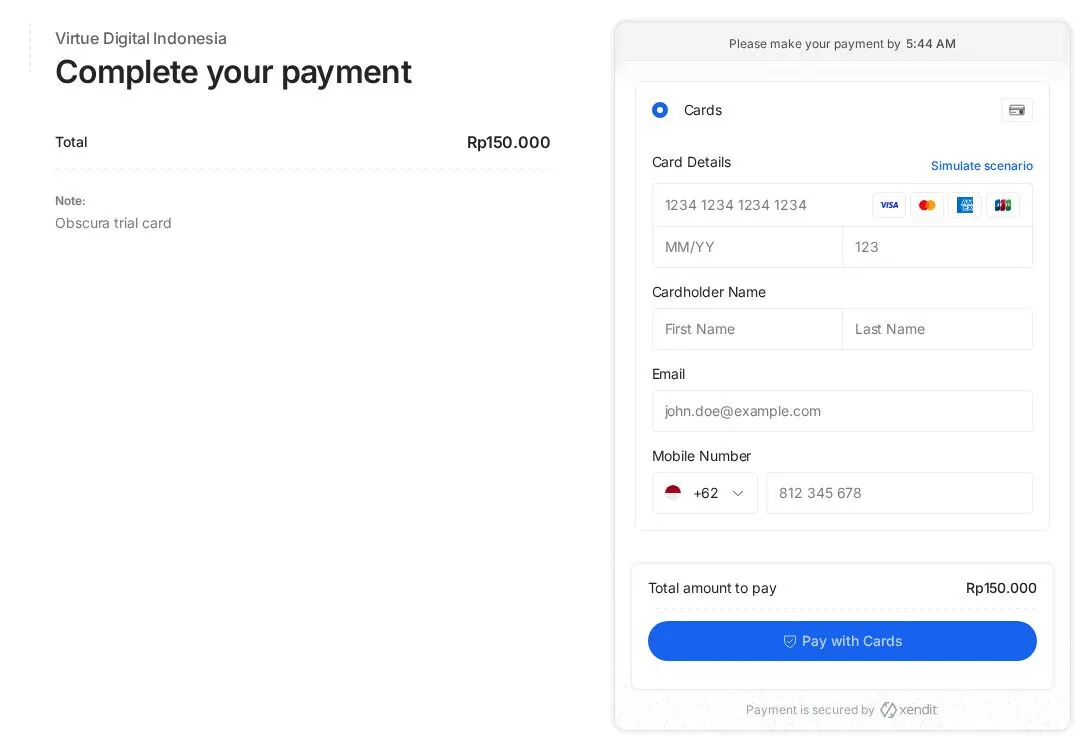
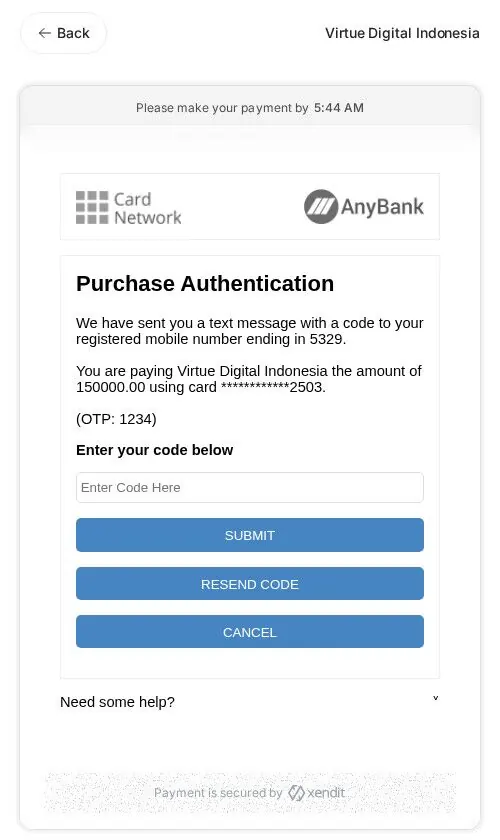
Fig. 7Card on the payment partner’s secure page, then 3-D Secure. These are test-mode screens with a test amount of Rp 150,000.
-
05Paid
The invoice is marked paid, and the receipt is ready.
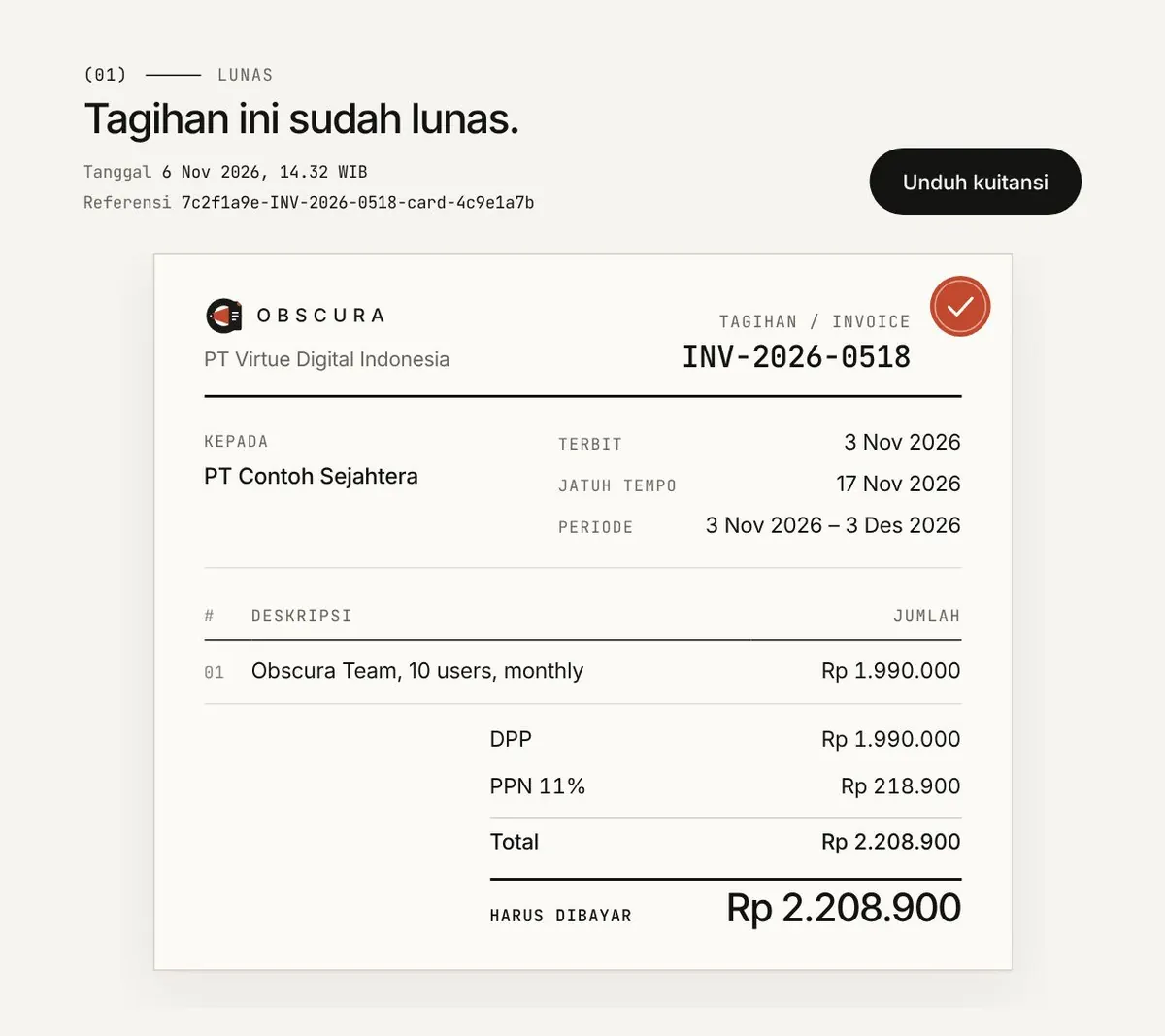
Once the payment arrives, the pay page marks the invoice as paid. Download receipt gives you a receipt (kuitansi) PDF from PT Virtue Digital Indonesia with the payment date, the method and the amount received.
 Test environment
Fig. 8The paid invoice, with Download receipt. 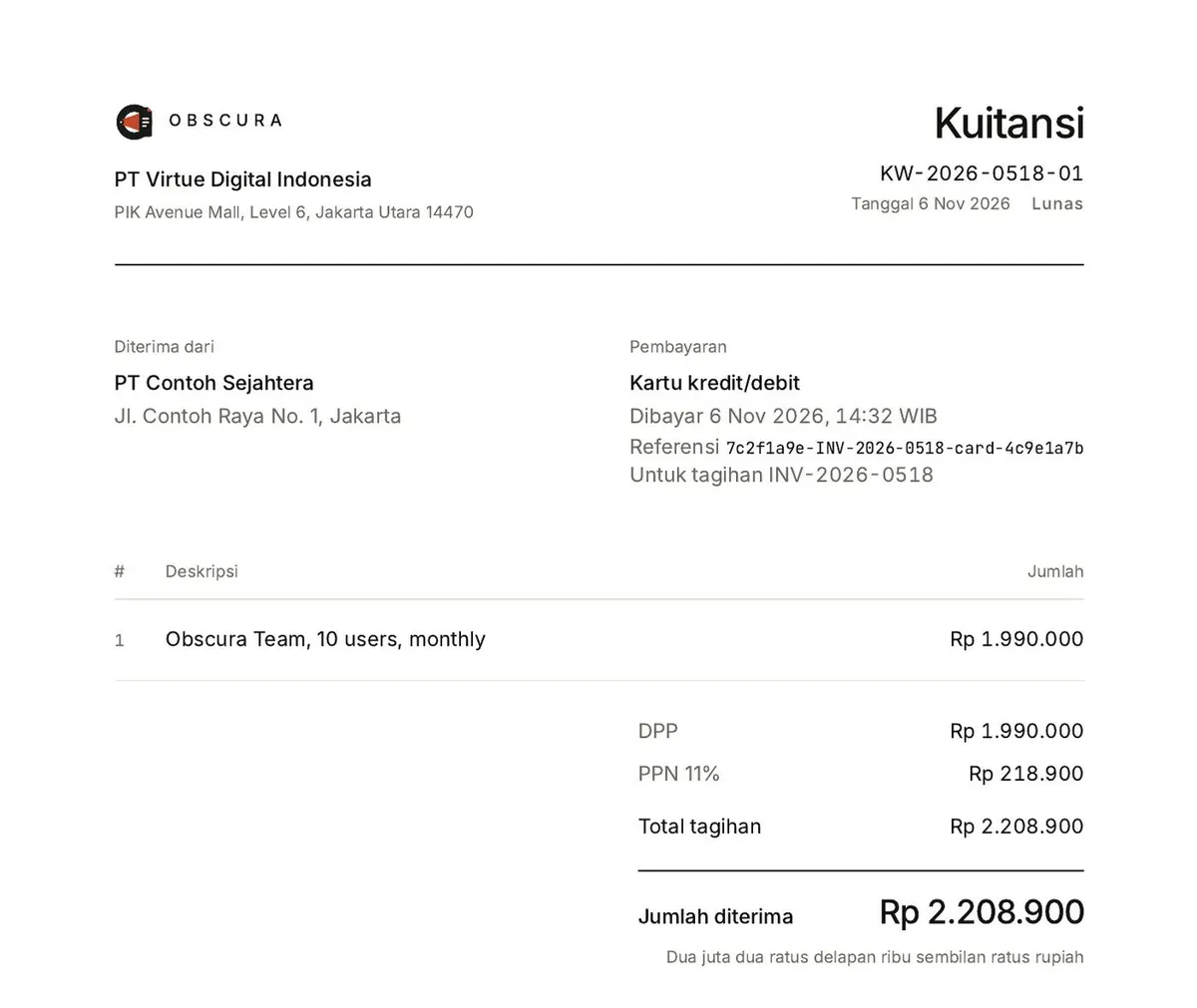
Fig. 9The top of the receipt (kuitansi) PDF.
(03)Payment methods
Online payments are processed by our licensed payment partner.
Virtual account
BCA, BNI, BRI, Mandiri, Permata and CIMB, from m-banking, internet banking or an ATM.
QRIS
Any bank or e-wallet app.
Card
Visa, Mastercard and JCB, with 3-D Secure on the payment partner’s secure page.
- Seller
- PT Virtue Digital Indonesia
- Prices
- In rupiah. Every invoice adds 11% PPN.
- Annual contracts
- Annual contracts (Organization, Private, and Enterprise) are paid by invoice.
Help
Questions about an invoice or a payment go to support@obscr.id.
Billing and payment are covered in section 6 of the Terms of Service, and refunds in section 10. Refund requests also go to support@obscr.id, and we answer in writing.